Create a Google Sheet
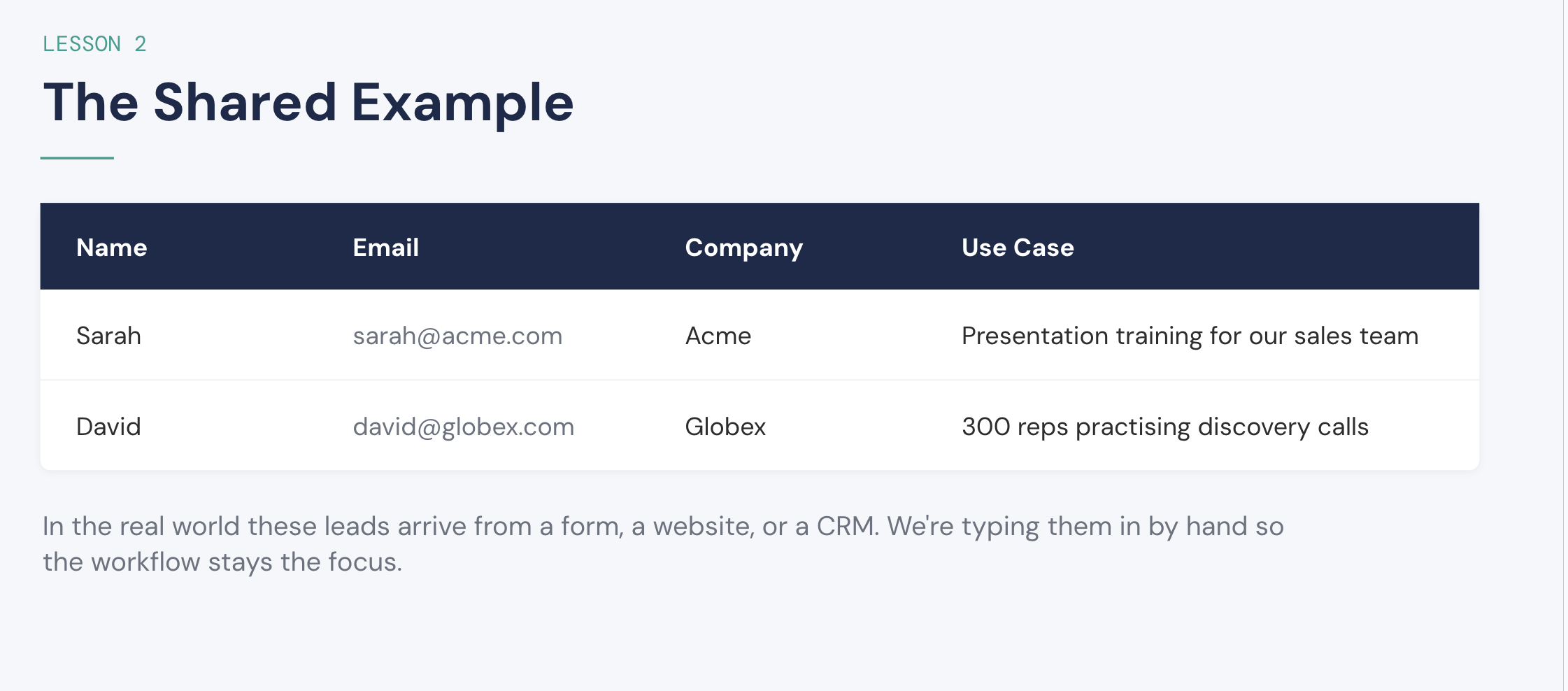
Create a blank spreadsheet and add these four headers in row 1: Name, Email, Company, and Use Case.
Step-by-step participant guide for the Make.com + ChatGPT workshop.
120-minute workshop
Create your own lead sheet, build a workflow in Make, add AI classification in Make, and finish with a ChatGPT scheduled task that researches and creates a draft.
Create your own Google Sheet and type in sample leads. In a real workflow, these leads might arrive from a form, website, or CRM; here, entering them manually keeps the focus on the workflow.
Create a blank spreadsheet and add these four headers in row 1: Name, Email, Company, and Use Case.
Enter at least two sample leads. You can use Sarah and David from the example or create your own realistic, non-sensitive practice data.
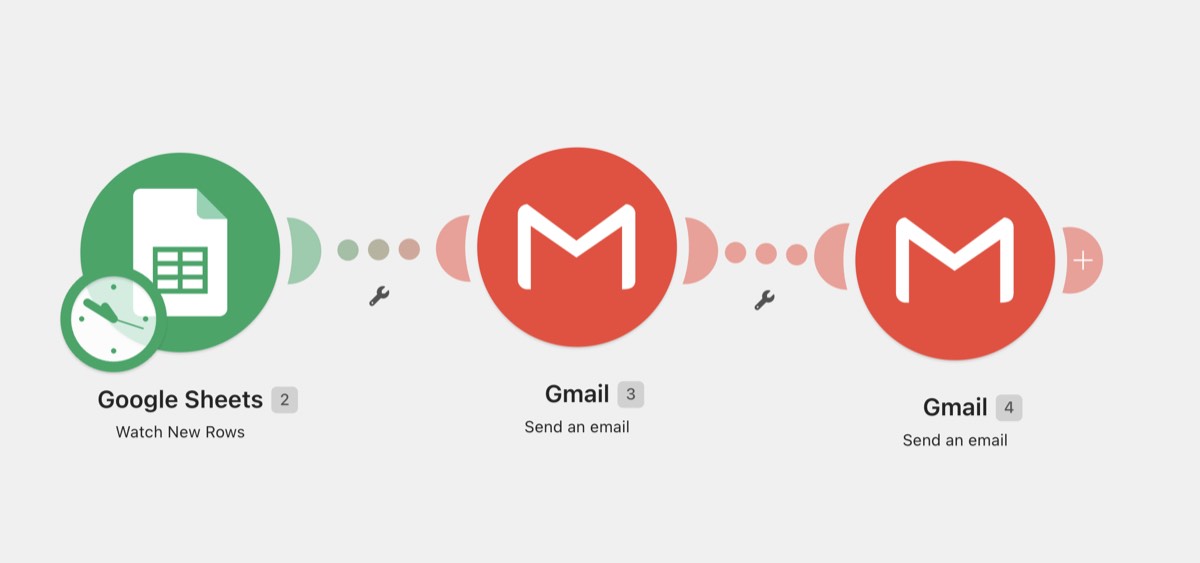
When a new form response reaches Google Sheets, acknowledge the lead and notify the team.
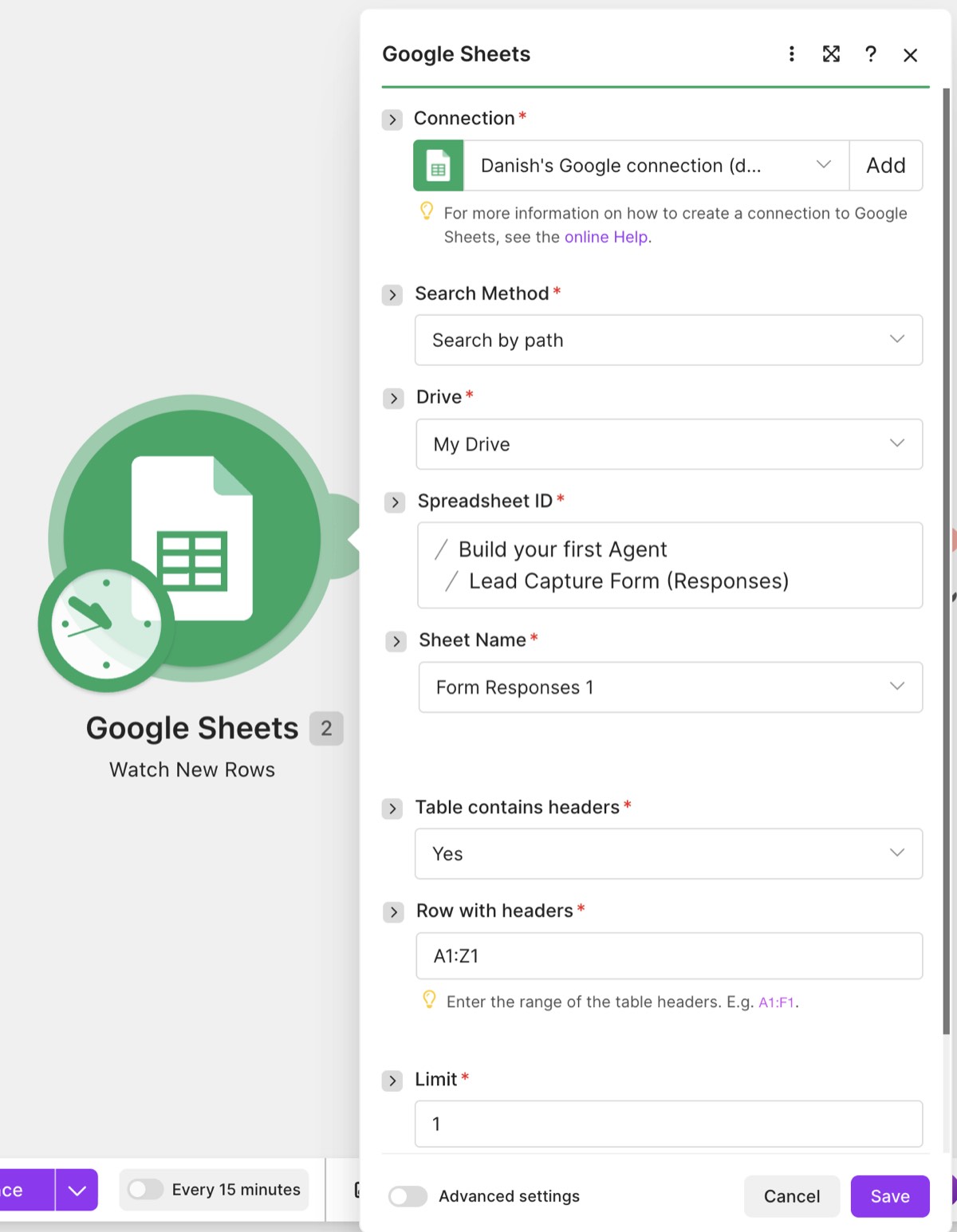
Create a scenario and add Google Sheets → Watch New Rows. When prompted, authorize your Google account and grant Make the requested Google Drive and Sheets read/write permissions. This lets Make work with the spreadsheet you choose for this scenario. In Spreadsheet ID, type the name of your response spreadsheet to find it, then select Form Responses 1. Change Limit from the default 2 to 1 so each run processes one new lead.
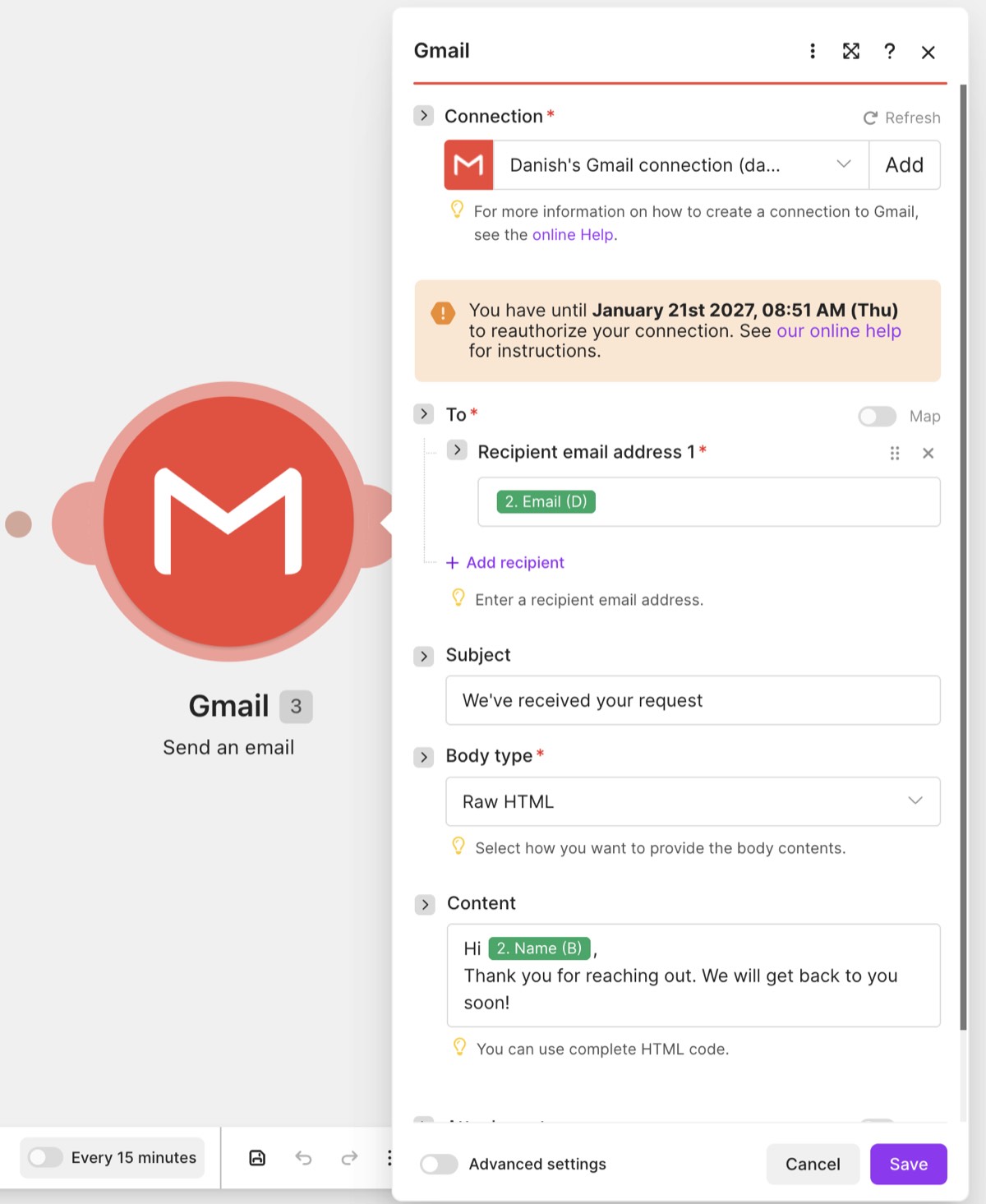
Add Gmail → Send an email. When prompted, authorize the Gmail account you want this scenario to use and approve Make's requested Gmail read/write permissions. Make needs this access to create the scenario's messages from that account. Then map the lead's Email field into To, use the subject We've received your request, and personalize the body with their Name.
Add a second Gmail → Send an email. Send it to your own or your team's inbox. Use the subject New Lead (Name - Company), then map Name, Company Name, Email, and Use Case into the body.
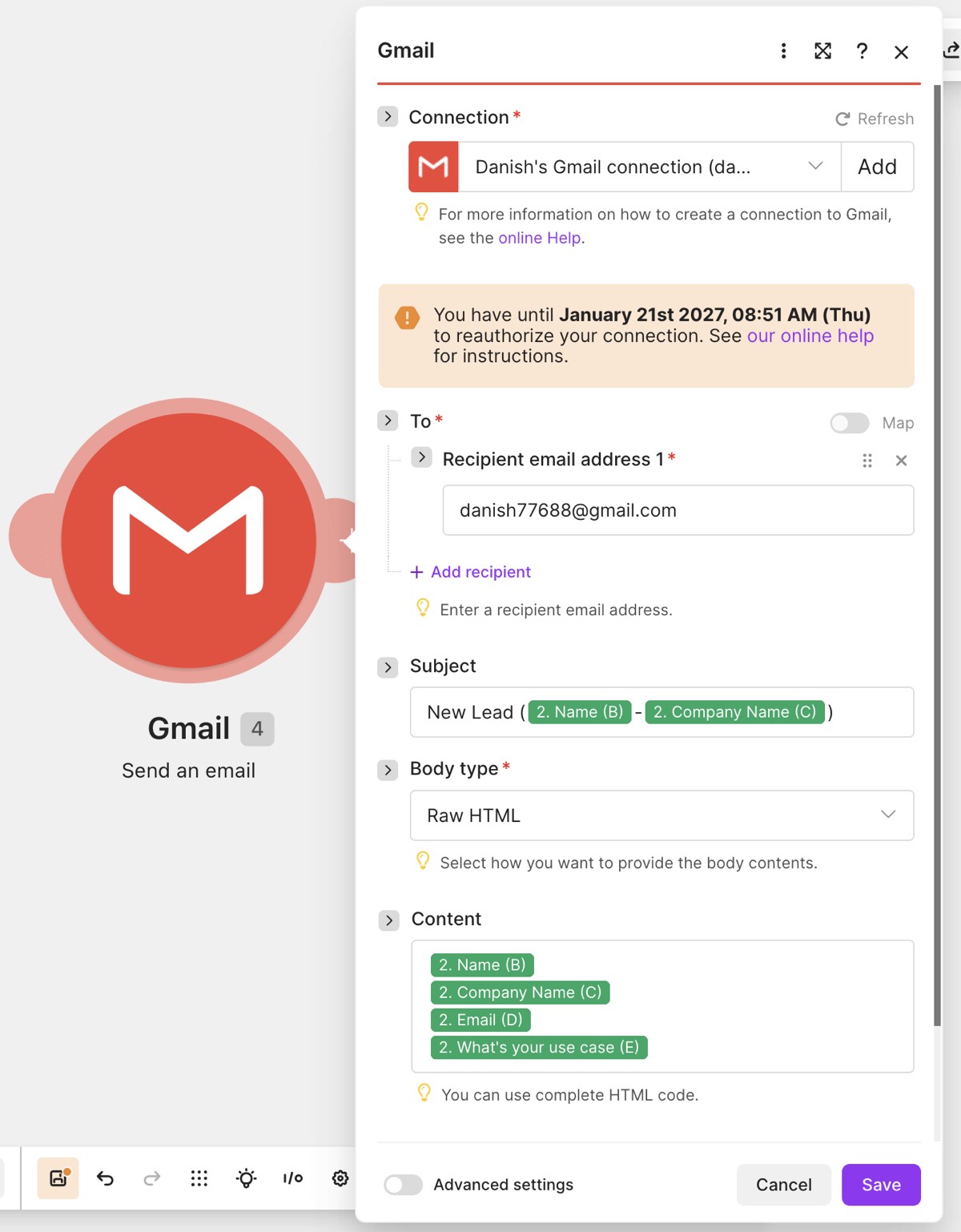
Run the scenario once using a new form submission. Check both emails, then turn scheduling on.
Add a bounded AI step that summarizes and classifies each lead before the team notification.
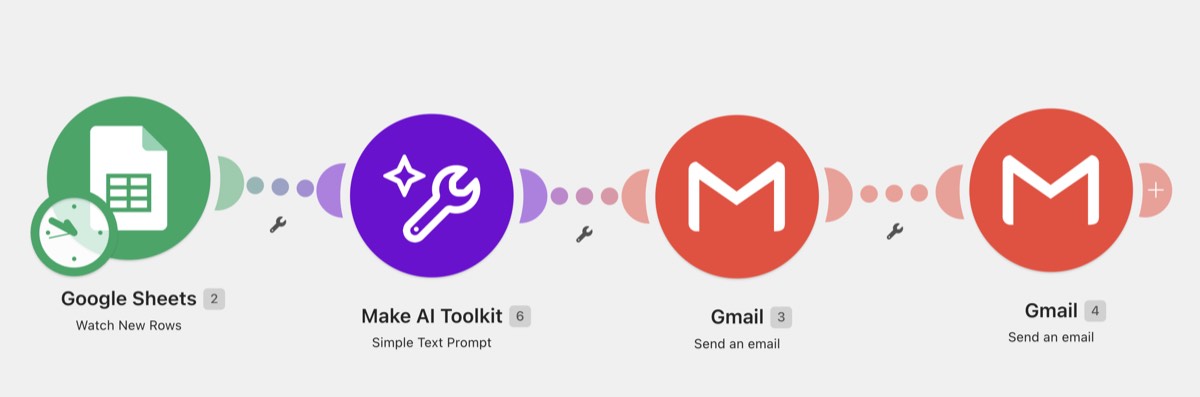
Reuse Practice 1. Right-click the existing connection between Google Sheets and the internal Gmail notification, then select Unlink. Add the new AI module in that gap. In the add-module menu, select AI by Make → Simple Text Prompt.
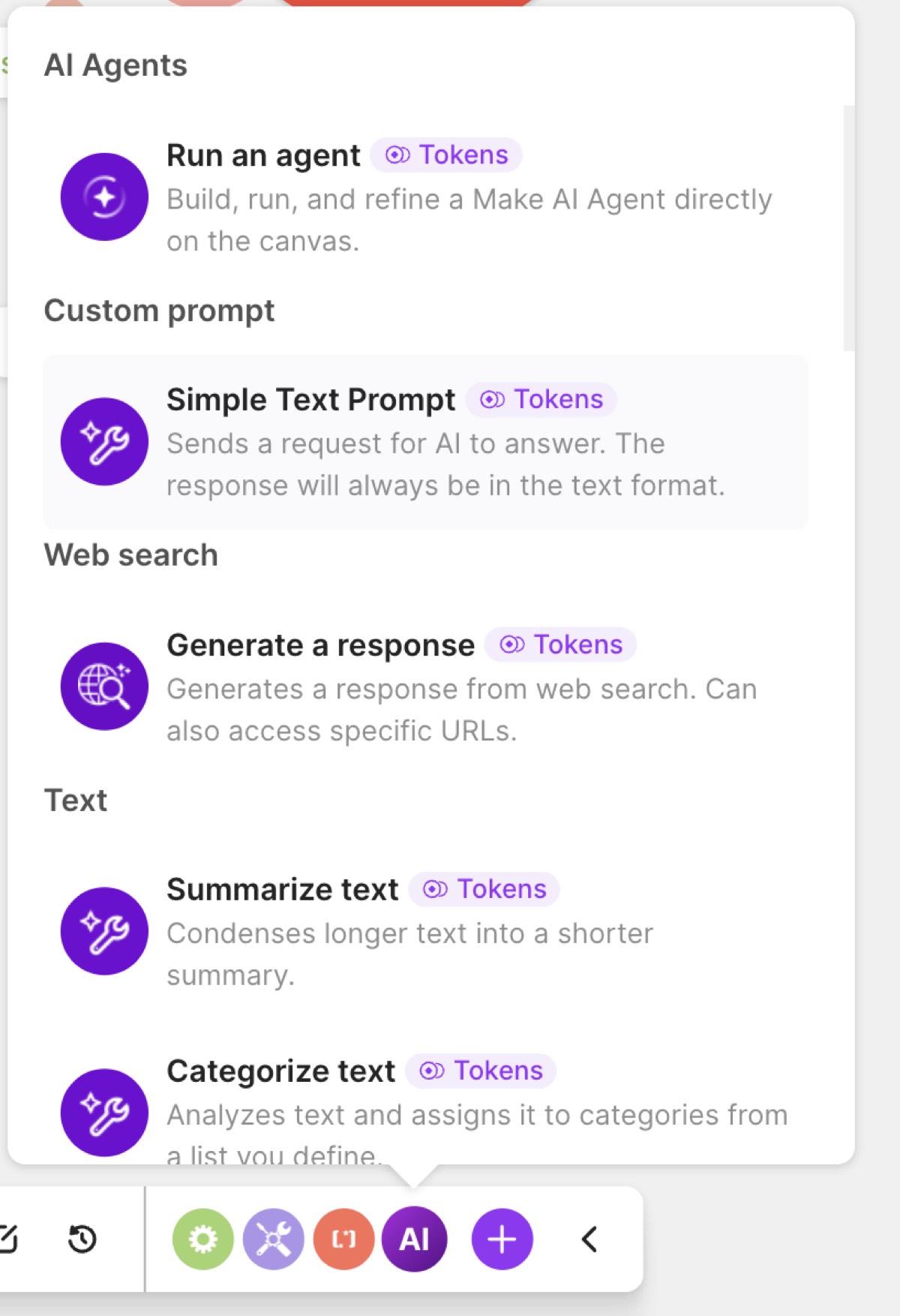
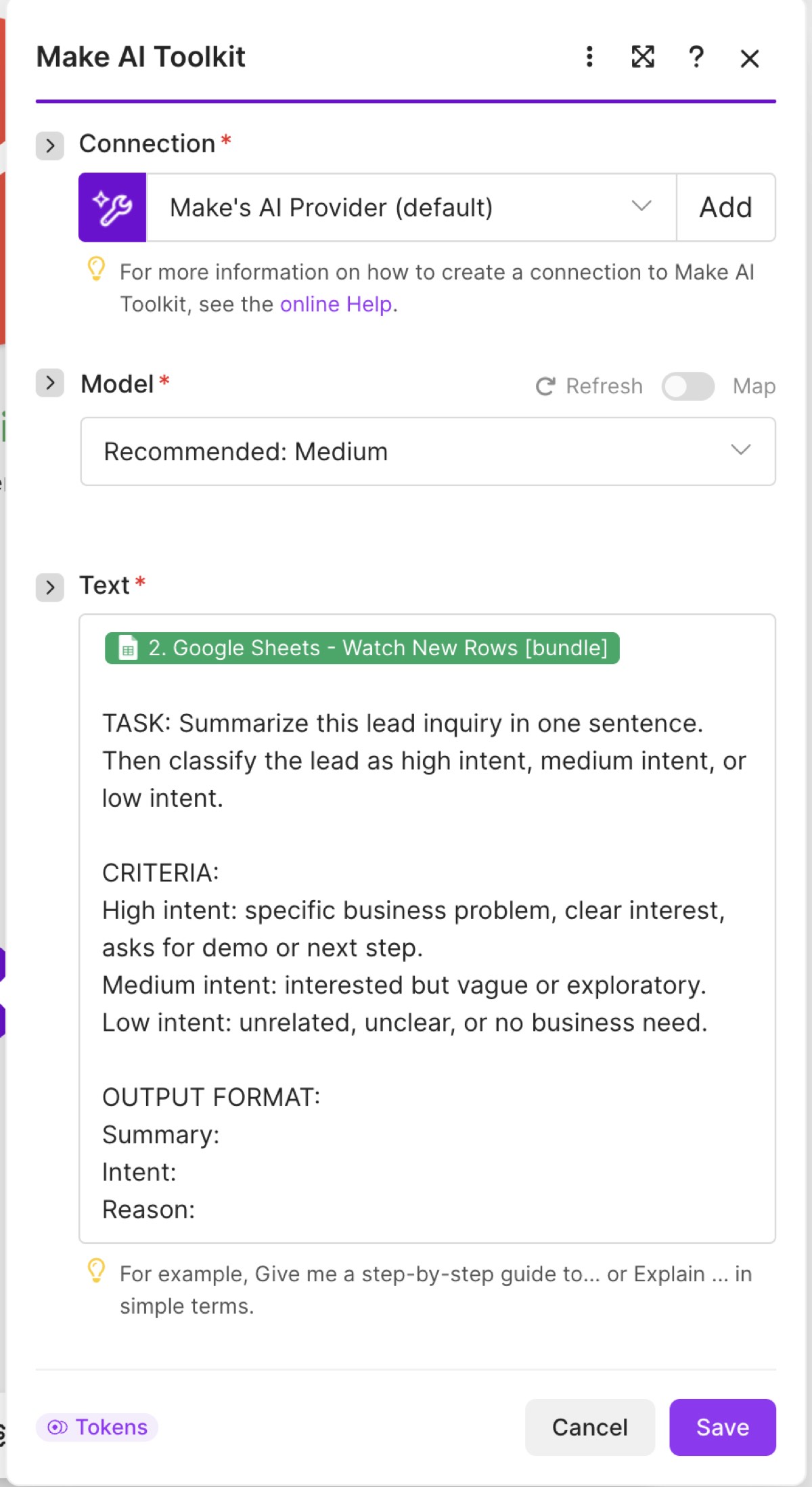
Choose Make's AI Provider and the recommended Medium model. Map the Google Sheets bundle above the prompt, then paste the instructions below.
Analyze this sales lead.

Summarize what they're looking for in one sentence.

Classify their intent as High, Medium, or Low.

Give one short reason for the classification.
Keep the confirmation email from Practice 1. In the internal Gmail notification, set the body to the AI module's Answer. Map the lead's Name and Company Name into the subject.
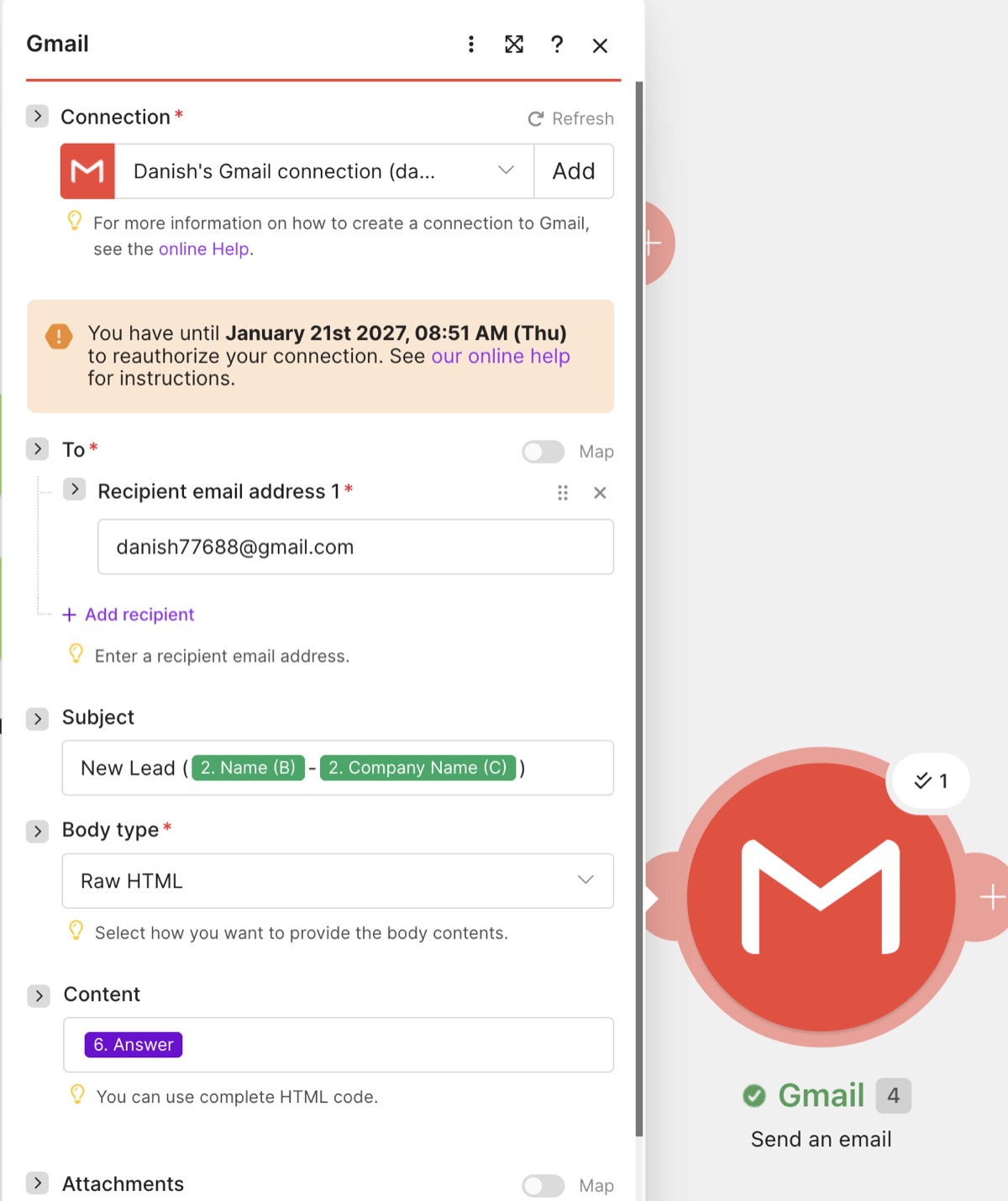
Submit a test lead with a clear need and demo request. Confirm that the team notification includes Summary, Intent, and Reason.
Create a scheduled task in ChatGPT that reviews new leads from your Google Sheet, researches useful context, and creates a Gmail draft for your review.
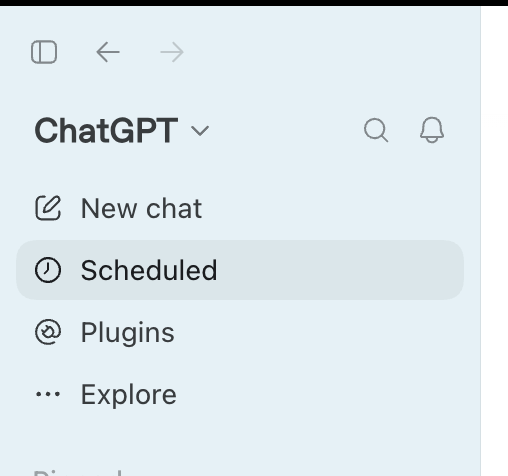
In ChatGPT's left sidebar, click Scheduled.
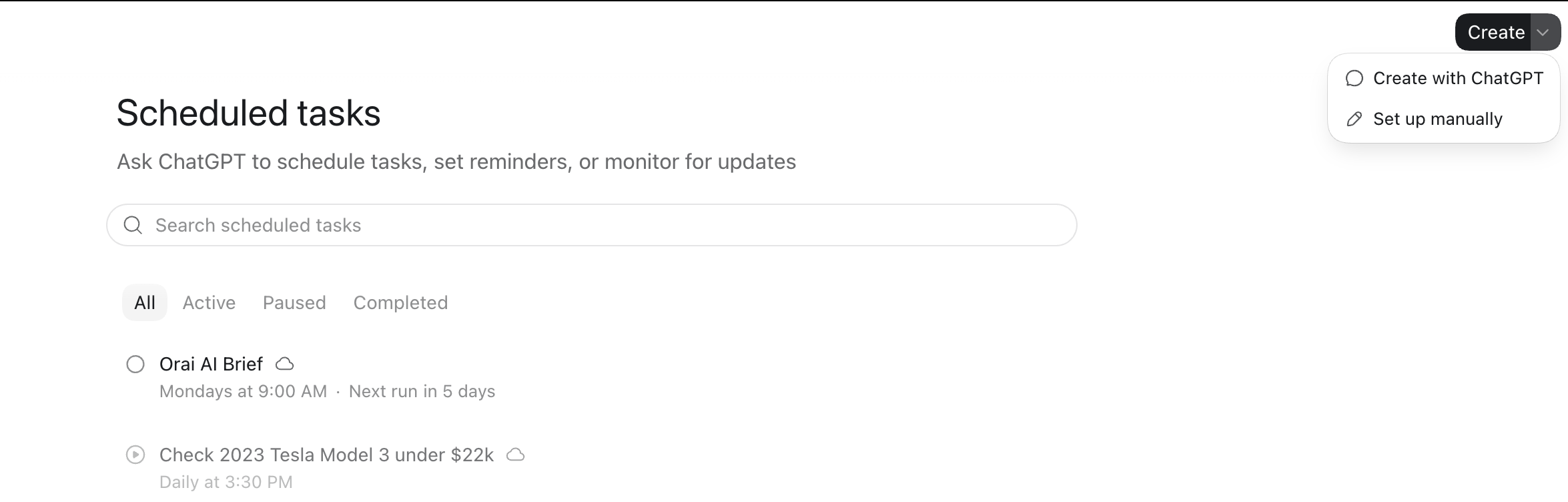
Click Create in the top-right corner, then select Set up manually.
Give the task a clear title, then paste the instructions below. Replace the sender address and sheet link with your own details.
GOAL:
Review my Google Sheet for new leads. For each new lead, understand their company and use case, research the lead and company, and create a Gmail draft addressed to the lead's email, sent from {youremail@gmail.com}.

TOOLS:
Google Sheets, Gmail, and web access.

GUARDRAILS:
- Only work on new leads.
- Keep each email under 120 words.
- Reference something specific.
- Do not send the email.
- Give me the draft for review.

SHEET LINK:
www....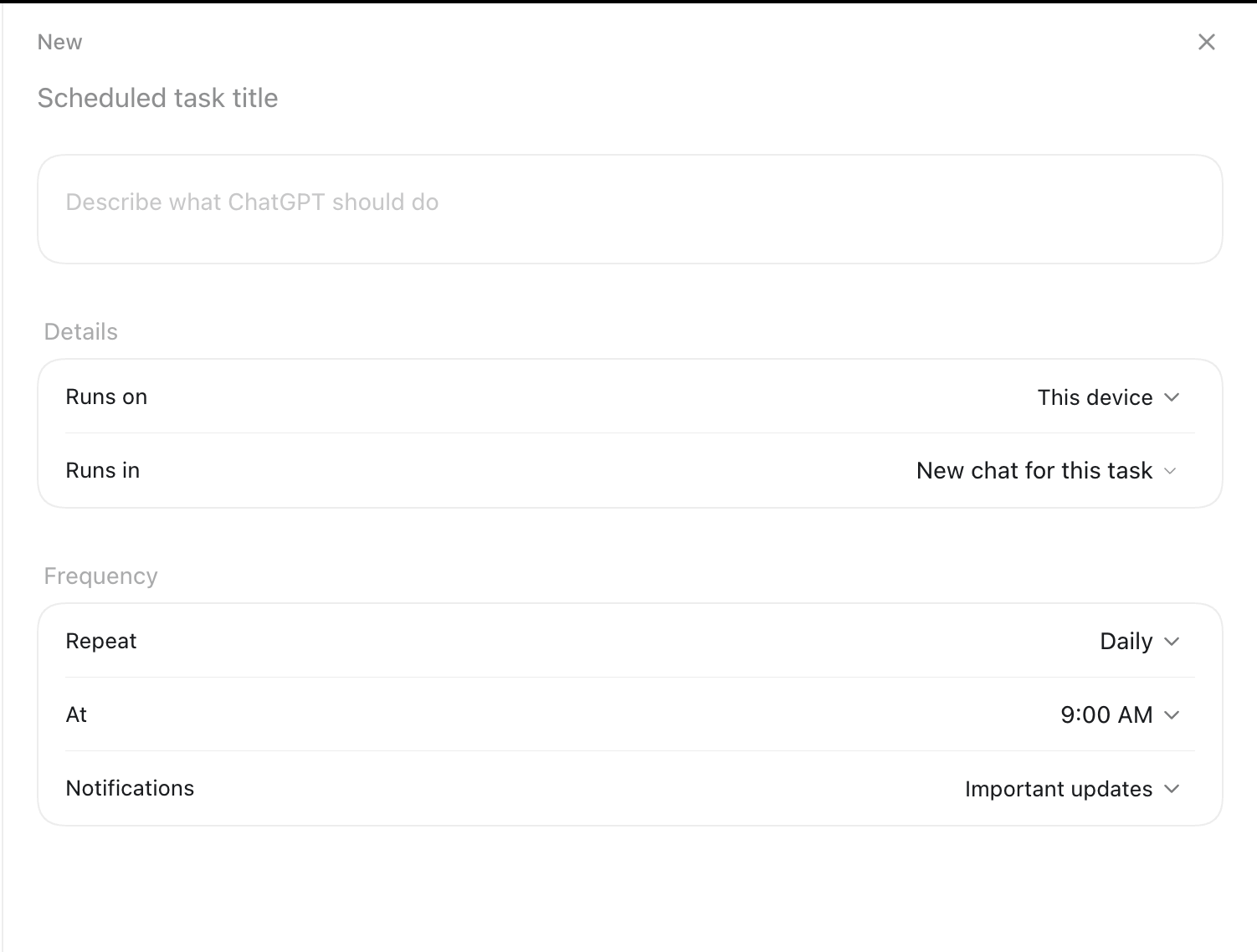
Under Frequency, change Repeat to Interval, then set Every to 15 minutes.
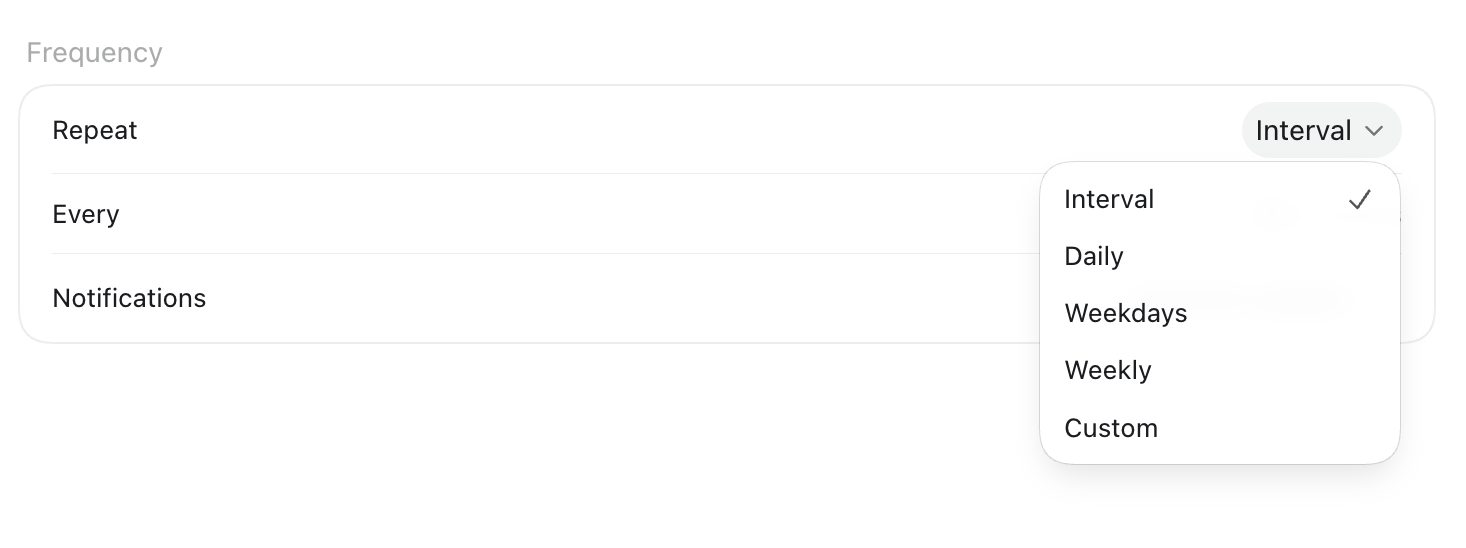
After creating the task, open the three-dot menu and click Run now. This tests the agent immediately instead of waiting 15 minutes.
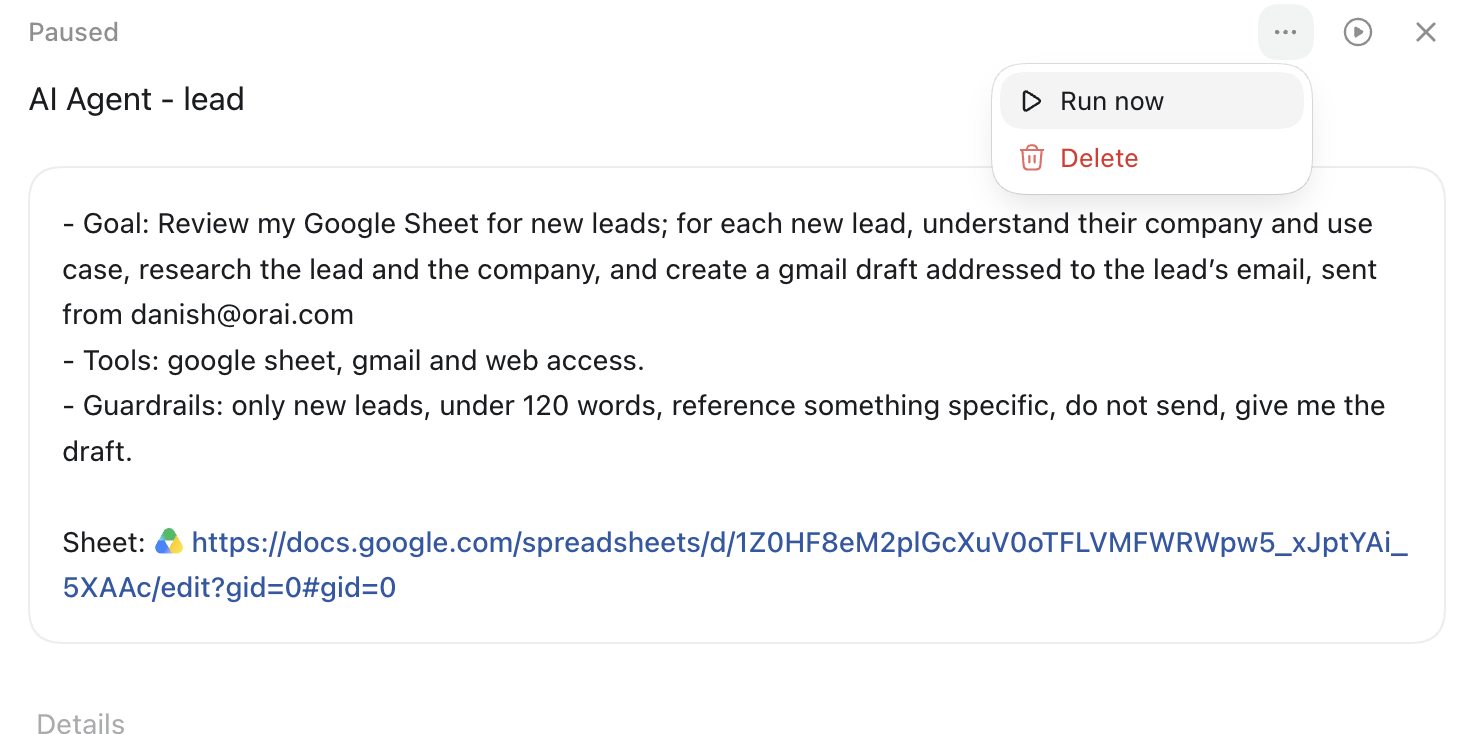
When ChatGPT asks for access, authorize Google Drive and Gmail for this task. ChatGPT needs Drive access to read the sheet and Gmail access to create a draft. Review the generated draft before sending it yourself.